If this is the first time that you are using TimeClockWindow, you need to create your administrative password and a password for the employee interface.
Note: This will need to be set on all computers that you install TimeClockWindow on for security to keep employees out of the administrative tools.
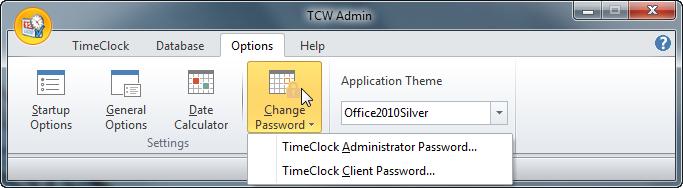
Click on Options and Change Password, this will give you a choice to set up the option to set the Administrator or Employee Client Passwords:
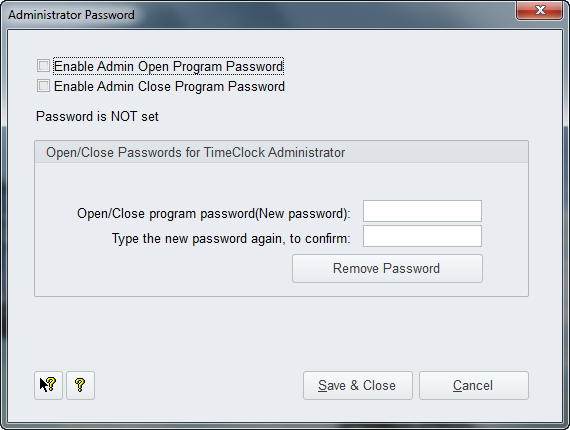
Click the "TimeClock Administrator Password" button to open this page:
We suggest that you create a password as a minimum to enable opening the Admin program. Use the checkboxes as seen above for your choices. After entering your password and typing it in again to conform it, click the Save & Close button.
Important Reminder: Assign an Admin password that you will not forget as once you save it, the program will require you to use it whenever you start up the admin tools. Enter the password for the employee interface.
If you want to use the "time change security feature in the software so your employees cannot change the time to punch in late or leave early, you would set up an administrator password for the employee client. This is used as a security measure if you are not using the Internet time servers for TCW so your employees cannot simply close the program, reset the computer time, start it and punch in and then reset the time if they are late. If you use the Internet time servers, TCW will get the time from the Internet.
If you want to use the Internet Time Servers you would not need to set up Client passwords. See the
General Options topic on using the Internet Time Servers.
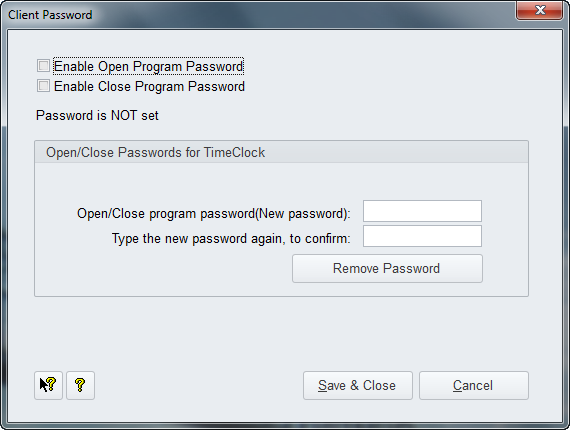
To set up an Admin password for the Employee Client, click on the option shown above "TimeClock Client Password" option shown at the top of this page to open this page:
If you do use this method over the Internet Time Servers we suggest you select both checkboxes they will control password use for the employee tools for opening and closing.
For more detailed information,
click here for the Admin password and
click here for the employee interface password.